Cart
Dein Warenkorb ist leer
Weiter einkaufen
Drawer menu
Yes, you can easily calibrate the Marstek B2500: 1. Open the app and pair the device. 2. Check the firmware for updates. 3. Start calibration mode, set the zero crossing with Shelly Pro 3EM. 4. Test and save measurements. If there are errors: perform a reset. Tip: Save yourself frustration with DRBO Greenenergy SunEnergyXT BK215 PLUS – plug & play without calibration.
Check: Solar energy systems for the garden
Calibration adjusts the measurement values of the Marstek B2500 to achieve precise zero export and avoid export errors, especially with dynamic tariffs. Common causes include app bugs, old firmware, or faulty Shelly integration. Advantages: Higher self-consumption rate and better compatibility for tenant balcony power plants.
For calibration, you need the Marstek B2500, a smartphone with the Marstek app, Shelly Pro 3EM for zero crossing, and stable Wi-Fi. Install the latest app version (iOS/Android) and firmware at least V1.2.5. DRBO Greenenergy offers alternatives without this effort.
| Feature | Marstek B2500 | SunEnergyXT BK215 PLUS (DRBO Greenenergy) |
|---|---|---|
| Calibration effort | High (App + Shelly required) | Zero (plug & play) |
| Compatibility | Shelly Pro 3EM required | Shelly Pro 3EM compatible, Home Assistant |
| Price | From approx. €1,200 | From €749 (2.15 kWh), Tenant Starter Set €1,548 with 0% financing |
| Protection class | Not specified | IP65, winter-proof |
1. Install the Marstek app, pair the B2500 via Bluetooth/Wi-Fi and enter the PIN. 2. Activate calibration mode in the settings and test the load measurement with a consumer. 3. Set the zero crossing, zero meter readings, check for 5 minutes and save. App menus show success messages.
Check the firmware version in the app under "Device Settings > Update". Perform automatic or manual updates via USB. Create a backup first, restart and then recalibrate. If there are errors: move the router closer for a strong signal.
In case of incorrect zero export, app crashes or winter performance losses: perform a hard reset (switch off for 10 seconds), recalibrate Shelly and clear the app cache. DRBO Greenenergy recommends alternatives without these problems for smooth operation.
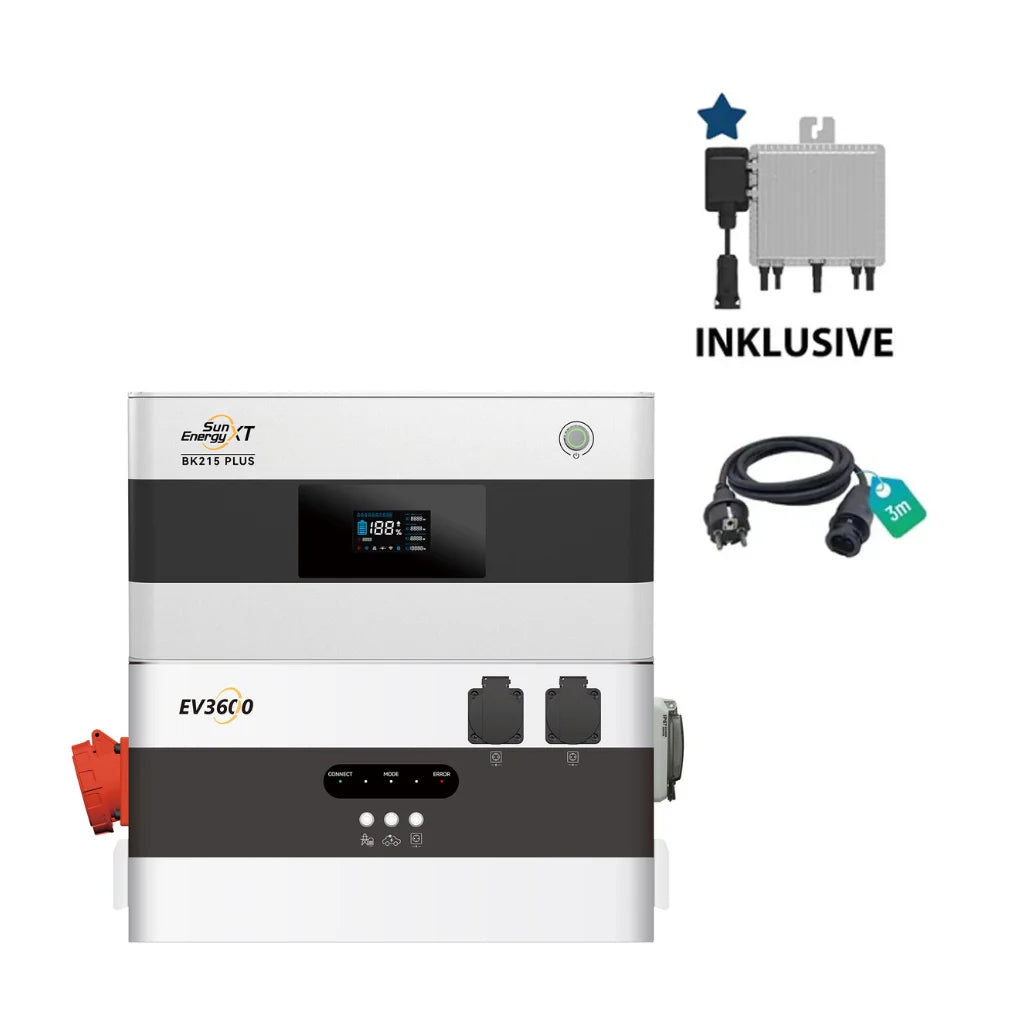
"Many customers struggle with Marstek B2500 calibrations due to app errors and Shelly dependency. Our SunEnergyXT BK215 PLUS (2.15 kWh, expandable up to 17.2 kWh) is plug & play with Schuko plug, IP65 winter-proof and compatible with Deye SUN-M80G4-EU-Q0 or EV3600. Zero export via Shelly Pro 3EM is possible, but often unnecessary thanks to a precise app and local API. Trustpilot 4.6/5 praises our German support team: fast, reliable. Use 0% financing via OpenBank and 0% VAT for private customers. Tenant Starter Set from €1,548 saves RRP and drives the energy transition forward." – DRBO Greenenergy Support Team
Yes, align meter readings via app and Shelly Pro 3EM, activate dynamic tariffs such as Tibber. Test for 24 hours with real consumption and adjust if deviations exceed 5%. Ideal for tenants with legal 800W feed-in in combination with balcony power plants.
Check: Solve Marstek B2500 problems
DRBO Greenenergy SunEnergyXT BK215 PLUS (from €749, 2.15 kWh) is plug & play, IP65, with SunEnergyXT App and Home Assistant. Refurbished options such as BK215 or Minjet storage offer an affordable entry. Complete packages such as Dynamic Starter PLUS (€3,199, Tibber-ready) eliminate calibration frustration.
| Criterion | Marstek B2500 | SunEnergyXT 500 (DRBO Greenenergy) |
|---|---|---|
| Calibration | Often necessary, prone to errors | Plug & play, 800W On-Grid |
| Storage | Dependent on setup | 5,024 Wh LiFePO4, expandable up to 30 kWh |
| App & Integration | Unstable | SunEnergyXT App, local API, Home Assistant |
| Price advantage | Standard | €1,299 (saving €400), 0% financing |
Yes, for persistent errors: App > Settings > Factory Reset, then recalibration. Useful after firmware updates or app crashes. Warning: All settings will be lost – create a backup. Alternatives such as DRBO products avoid resets completely.
The calibration of the Marstek B2500 is feasible, but requires time and accessories such as Shelly Pro 3EM. Save yourself frustration with DRBO Greenenergy SunEnergyXT BK215 PLUS or 500 series: plug & play, IP65, German support team (Trustpilot 4.6/5), 0% financing and free consultation. Drive the decentralized energy transition forward – book your free solar consultation now or contact us at Contact.
Often due to app/firmware bugs or incorrect Shelly calibration. Updates and resets solve 90% of cases; DRBO SunEnergyXT BK215 PLUS avoids this.
Yes, Shelly Pro 3EM for zero crossing. Alternatives such as SunEnergyXT BK215 PLUS from DRBO Greenenergy make it superfluous – purely plug & play.
Approx. 15–30 minutes plus test phase. For DRBO Greenenergy storage units such as BK215 PLUS: 0 minutes, immediately ready for use.
Yes, after calibration with Shelly. Better: DRBO Dynamic Starter Sets, optimized for Tibber/aWATTar, with 0% VAT.
Via manufacturer app or forums. For reliable alternatives: DRBO Greenenergy German team (Trustpilot 4.6/5), free consultation included.
Personal expert advice