Warenkorb
Dein Warenkorb ist leer
Weiter einkaufen
Drawer menu
Setting up the Sunlit DTU device is achieved in 5 simple steps: 1. Connect the DTU to your WiFi router via a LAN cable. 2. Download the "Sunlit DTU" app and scan the network. 3. Enter the serial number. 4. Pair inverters like the Deye SUN-M80G4-EU-Q0. 5. Check for firmware updates. This allows tenants to monitor their balcony power plant in real-time via the app – compatible with DRBO Greenenergy Plug-&-Play sets.
Check: 800W Grid-Tie Inverters
The Sunlit DTU is a compact data logger for remote monitoring of balcony power plants. It provides real-time data on yield, consumption, and zero export. Ideal for tenants with Deye inverters and SunEnergyXT BK215 PLUS from DRBO Greenenergy sets, including app integration for dynamic tariffs like Tibber or aWATTar.
You will need the Sunlit DTU, a LAN cable, a WiFi router (2.4 GHz), a compatible inverter such as the Deye SUN-M80G4-EU-Q0 from DRBO 900 Wp sets, a smartphone with the "Sunlit DTU" app, and a stable internet connection. Plug-&-Play without an electrician, suitable for DRBO balcony power plants with 0% VAT for private individuals.
1. Connect power and connect the DTU to the router via LAN cable. 2. Start the "Sunlit DTU" app and scan the QR code. 3. Configure WiFi (2.4 GHz). 4. Enter the serial number and pair the inverter. 5. Test the connection. Common errors: Incorrect network – select 2.4 GHz; for problems, contact DRBO Greenenergy Support.
| Step | Action | Duration | Tips |
|---|---|---|---|
| 1 | Connect DTU to power and router | 1 min. | Use LAN cable, LED flashes |
| 2 | Download app, scan QR code | 2 min. | iOS/Android, stable WiFi |
| 3 | Enter serial number | 1 min. | Find under DTU device |
| 4 | Pair inverter (e.g., Deye) | 3 min. | DRBO sets compatible |
| 5 | Test and check firmware | 3 min. | Display real-time data |
Register the app, enter the serial number, select the DTU and pair inverters such as the Deye SUN-M80G4-EU-Q0 or SunEnergyXT EV3600. Compatible with DRBO Greenenergy Deye inverters and Shelly Pro 3EM for zero export. Ideal for tenant sets with storage for real-time monitoring.
Check: Budget 800W Inverter for 4 Panels
Remote monitoring displays live data on yield, storage status, and dynamic tariff optimization in the app dashboard. Use it for balcony power plants from DRBO Greenenergy to reduce electricity costs – combined with refurbished Minjet storage, LiFePO4 EVE cells, and IP65 protection.
"As an authorized SunEnergyXT dealer with Trustpilot 4.6/5, we at DRBO Greenenergy offer tested compatibility of the Sunlit DTU with all our Plug-&-Play sets. Whether it's a 900 Wp balcony power plant with Deye SUN-M80G4-EU-Q0 or a BK215 PLUS storage tower – remote monitoring is child's play. Benefit from 0% financing via OpenBank, a German support team, and free solar consultation. Our refurbished storage solutions like Minjet with Deye make getting started affordable and reliable. Tenants save up to €1,800 annually with Dynamic Starter Sets for Tibber/aWATTar." – DRBO Greenenergy Expert Team
Check for updates in the app, start an OTA (Over-The-Air) update, and restart the DTU. Automatically after setup. In case of connection interruptions, restart the router or call the DRBO Greenenergy hotline. Regular checks are recommended for sets with dynamic tariffs and refurbished storage.
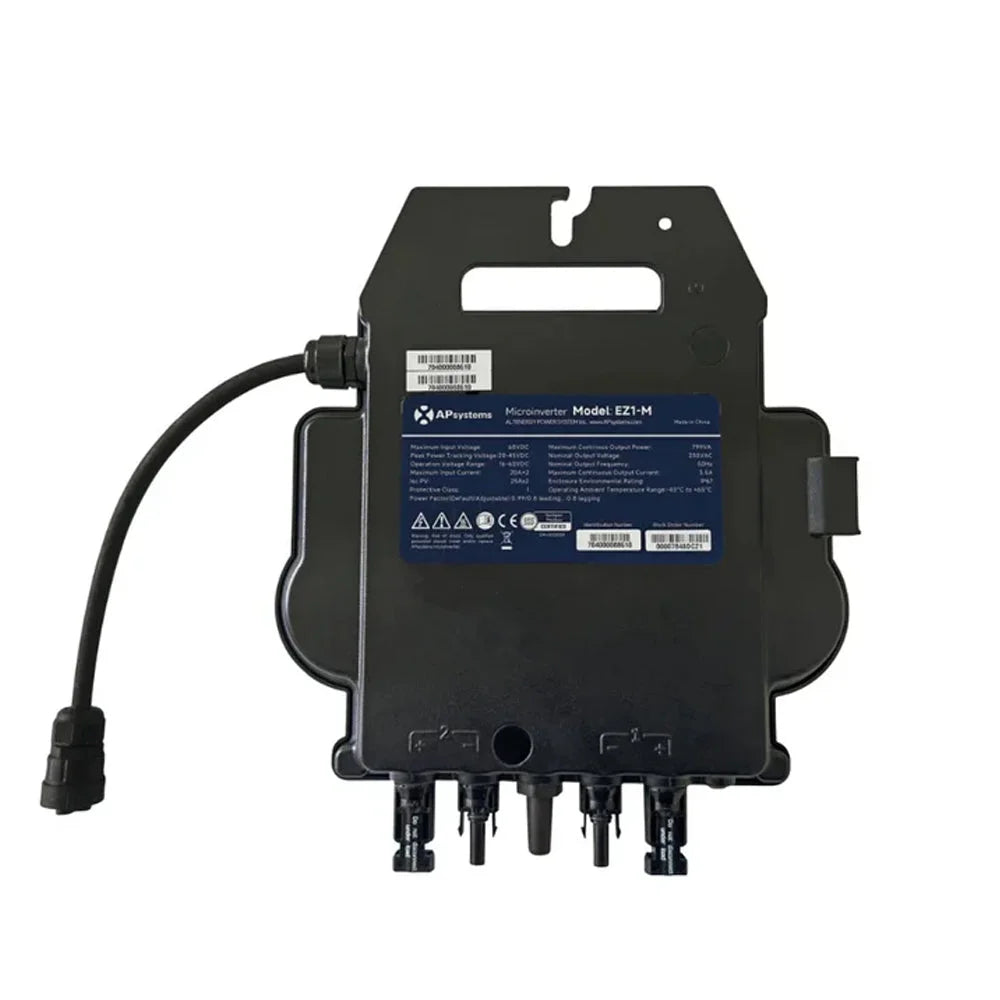
The Sunlit DTU is compatible with Deye SUN-M80G4-EU-Q0 (800 W, IP67, WLAN), APsystems EZ1-M (800 W, WLAN+Bluetooth), and SunEnergyXT EV3600. Perfect for DRBO Greenenergy Plug-&-Play sets with 0% financing – combinable with BK215 PLUS storage for tenants.
| Inverter Model | Manufacturer | DRBO Set Example | Compatibility Features |
|---|---|---|---|
| Deye SUN-M80G4-EU-Q0 | Deye | 900 Wp Balcony Power Plant | 800 W, WLAN, 2 MPPT, 96.5% efficiency |
| APsystems EZ1-M | APsystems | BK215 PLUS Savings Package | 800 W, WLAN+Bluetooth, 97.3% efficiency |
| SunEnergyXT EV3600 | SunEnergyXT | 2Way Storage Tower | Bidirectional, compatible with BK215 PLUS |
| Deye SUN-M100G4-EU-Q0 | Deye | Complete Sets | 1000 W, high efficiency |
| Deye SUN-M200G4-EU-Q0 | Deye | Extended Sets | 2000 W, for higher performance |
Check app error codes, reset DTU (disconnect power, wait 10 sec.). If necessary, use DRBO Greenenergy Support: Free consultation, German team (Trustpilot 4.6/5). Links to consultation and 900 Wp sets for quick help.
Yes, seamlessly with DRBO Greenenergy sets like 900 Wp Plug & Play and Deye SUN-M80G4-EU-Q0 – real-time data via app for yield and zero export.
Approx. 10–15 minutes for tenants without an electrician, including app setup and inverter pairing in DRBO balcony power plants.
Recommended for optimal remote monitoring and dynamic tariffs; the app checks automatically during setup or manually.
Yes, perfect for DRBO Greenenergy refurbished storage like BK215 PLUS and Minjet – live status from 2.15 kWh to 30 kWh.
At DRBO Greenenergy – including consultation, Trustpilot 4.6/5, and compatible sets like Tenant Starter with SunEnergyXT products.
The Sunlit DTU makes remote monitoring of balcony power plants easy: Quick setup, real-time data, and firmware updates via app. Combine it with DRBO Greenenergy Plug-&-Play sets like 900 Wp with Deye SUN-M80G4-EU-Q0 or BK215 PLUS storage. Take advantage of 0% financing via OpenBank, refurbished options, and free consultation for tenants. Trustpilot 4.6/5 guarantees reliability – drive the decentralized energy transition forward.
Persönliche Fachberatung